 QuizWhiz
Ask from any angle
Highlight text or type a question in Chrome. Use Snapshot to capture a selected region and see the reasoning in the answer panel.
Set up Chrome ↗CHROME · WEB · ANDROID PREVIEW
Ask a question, review the explanation, and turn your notes into flashcards, practice quizzes, and summaries.
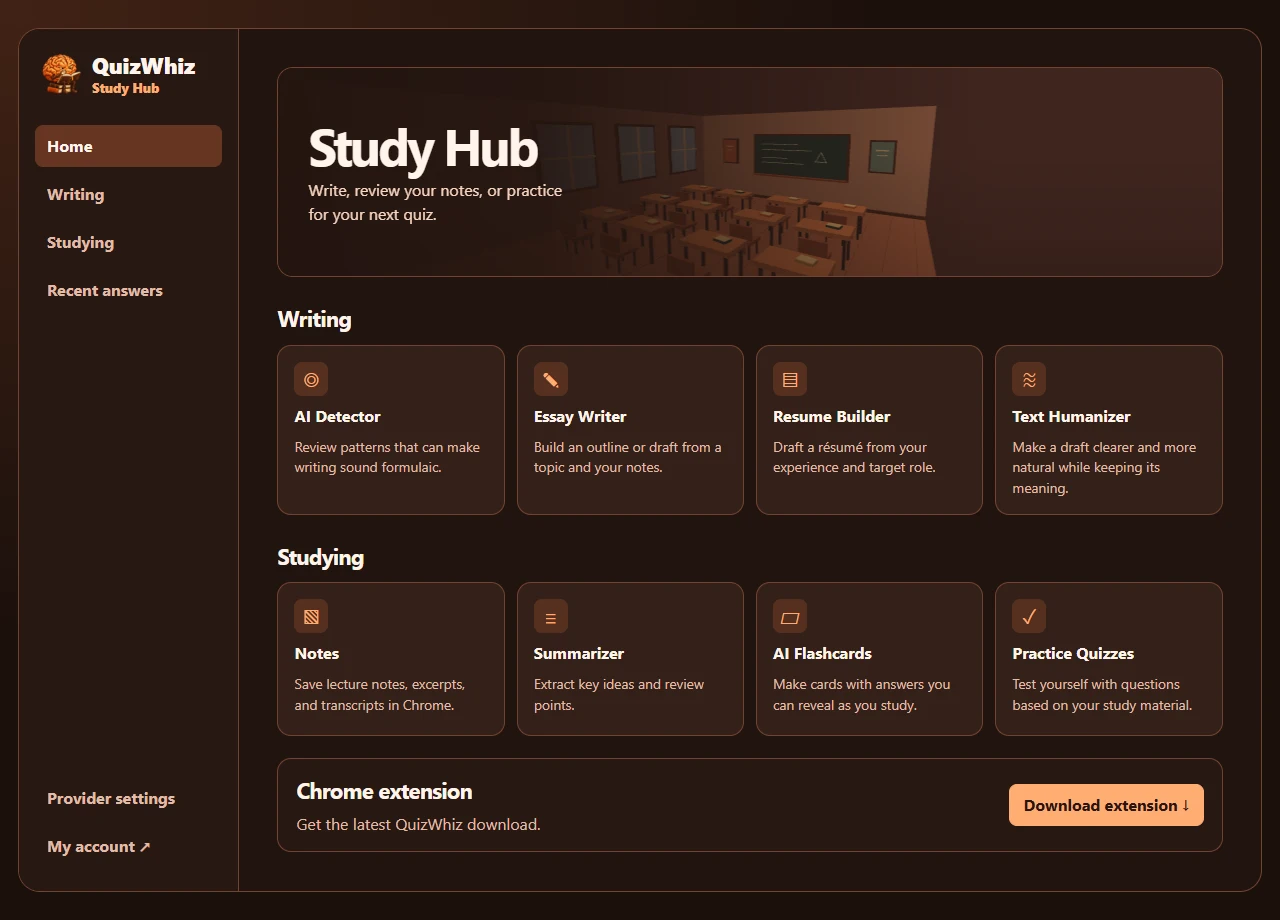
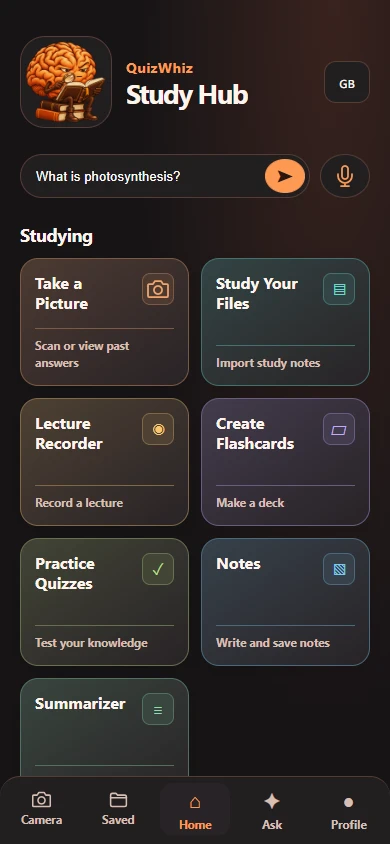
PRODUCT SCREENSHOTS
FEATURES
Highlight text or type a question in Chrome. Use Snapshot to capture a selected region and see the reasoning in the answer panel.
Set up Chrome ↗Save and edit notes, turn material into summaries and flashcards, flip cards to review, and retake saved multiple-choice quizzes.
Open Study Hub ↗Draft essays and résumés, review text for patterns often associated with AI writing, and revise a draft in one of five tones.
Explore writing tools ↗ANDROID PREVIEW
Android is in development preview. Google Play availability and lecture transcription are pending.
ACCOUNT SETUP
Use your QuizWhiz account. QuizWhiz handles the AI connection for eligible accounts.
GET STARTED
Install QuizWhiz from the Chrome Web Store, then open it from the Chrome toolbar.
Add to Chrome ↗Choose a billing period. Whop shows your trial eligibility, first charge date, and renewal price before you confirm.
$7.99 / week
Billed weekly after an eligible trial.
Start 3 Days Free Trial$19.99 / month
Billed monthly after an eligible trial.
Start 3 Days Free Trial$131.88 / year
Billed yearly after an eligible trial.
Start 3 Days Free TrialIncludes Auto Answer in the QuizWhiz Chrome extension.
$9.99 / week
Includes Auto Answer.
Start 3 Days Free Trial$24.99 / month
Includes Auto Answer.
Start 3 Days Free Trial$179.99 / year
Includes Auto Answer.
Start 3 Days Free TrialWhop lists these plans as QuizWhiz Pro Max. Contact support if you need help activating Auto Answer.
QUESTIONS
Follow the sign-in guide for your device. The web Study Hub and Android preview support eligible Google accounts.
Notes, saved answers, and lecture recordings stay in the browser profile or app where you saved them. Requests to generate answers or study material are sent for AI processing. Read the privacy policy.
Open QuizWhiz, choose Snapshot, and drag a box around a question. QuizWhiz sends the crop when you finish selecting it. Press Escape to cancel.
No. QuizWhiz provides study explanations and practice tools and never submits an answer on your behalf.
The extension uses active tab and scripting access for the page tools, a context menu for selected text, local storage, and optional access to the configured AI endpoint.